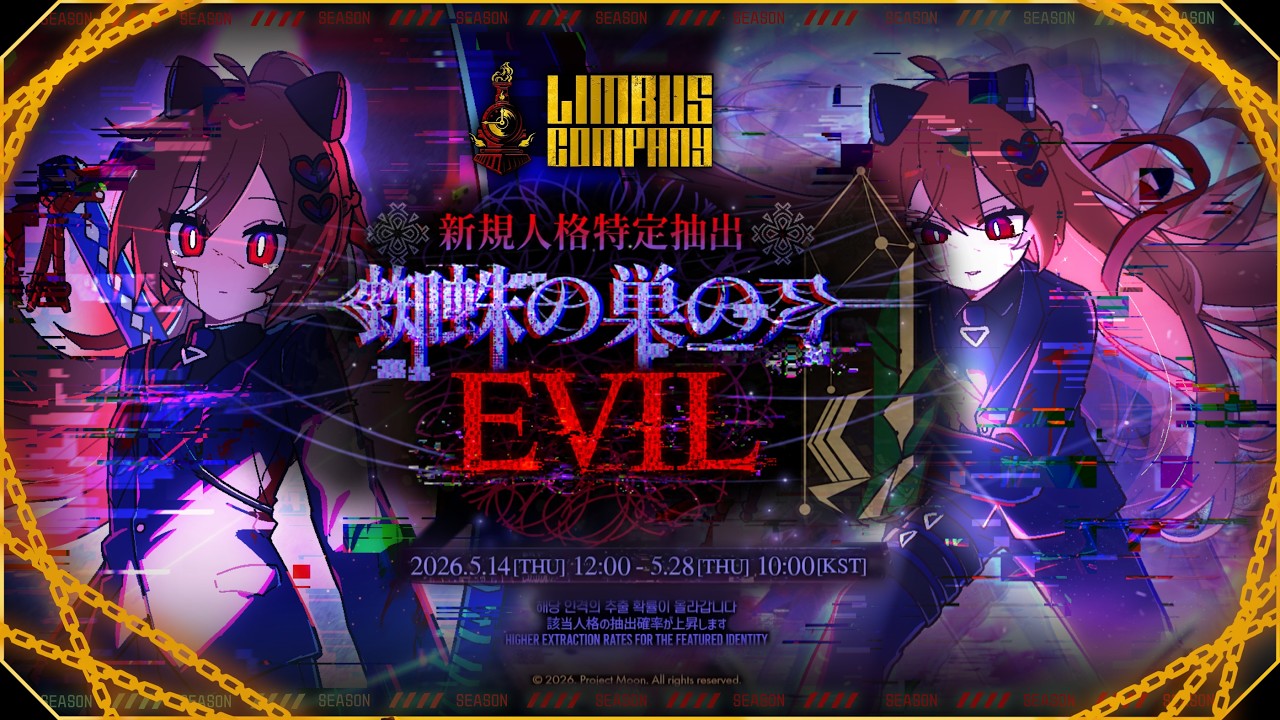
The Chinese Neuro-sama community, often called Chinese Swarm or CN Swarm, has released a fan-made mod that replaces Blade of the House of Spiders Ryōshū with Evil Neuro on Limbus Company.
The mod was created by Yumo (Bilibili: 于陌_, X: @yumo539959) with artwork by Lingyou (Bilibili: 意念艾特感叹号, X: @lingyouzzz). It also features a full voice replacement, custom background music, and a new character card. Other contributors include Fudaoyuan (mod guidance), Zhuhe (voice work), and CC (technical help). It is a community project made by several creators and is available for PC players through Nexus Mods.
What the Mod Changes
Instead of only changing Ryōshū's appearance, the mod replaces several parts of the character.
The mod includes:
- A full Evil Neuro character model replacing Blade of the House of Spiders Ryōshū
- New character artwork for the identity card
- Custom Evil Neuro voice lines
- New background music (BGM)
- Updated game files to match the new character
Players can also restore the original Ryōshū at any time by replacing the modified files with the backup files included in the download.
Who Made the Mod?
The project was created by several members of the Chinese Swarm. The creators who made the mod are credited below:
- Mod and artwork: Yumo (Bilibili: 于陌_, X: yumo539959)
- Character card illustration: Lingyou (Bilibili: 意念艾特感叹号, X: lingyouzzz)
- Guidance and modding help: 浮导员 (Fudaoyuan)
- Voice production: 竹禾日当午 (Zhuhe)
- Production help: CC (TiGh0147c)
Additionally, the creators also thanked:
- GaleNyaKo for editing help.
- 天童アリスnya for helping with Saikai. The team said they eventually stopped using it because game updates caused it to fail often.
- Zhuhe for voice work.
- CC for helping solve a ghosting issue during development.
Installation
The Evil Neuro mod is available through Nexus Mods, where players can download the files and follow the included installation instructions.
The download link can be found here: https://www.nexusmods.com/limbuscompany/mods/166
And instructions on how to install the mod are found below:
EVIL Personality Replacement:
In "C:\Users(Your Usersname)\AppData\LocalLow\Unity\ProjectMoon_LimbusCompany"
locate the following two files:
- "8df1ab6948f49560fb5242170636ebc5"
- "bb7922b2da6f79f99800cab305f9a032"
Replace each of them with the corresponding "data" file from Folder A of the mod.
If you want to restore the original Ryoshu, simply overwrite the modified files with the corresponding files from Folder B.
EVIL Voice / BGM Replacement:
Copy the "bank" file(s) from the A evil folder into the following directory and overwrite the existing file(s):
"Limbus Company\LimbusCompany_Data\StreamingAssets\Assets\Sound\FMODBuilds\Desktop"
If you want to restore the original voice and BGM, simply overwrite the modified file(s) with the "bank" file(s) from Folder B.
Good luck and have fun playing!